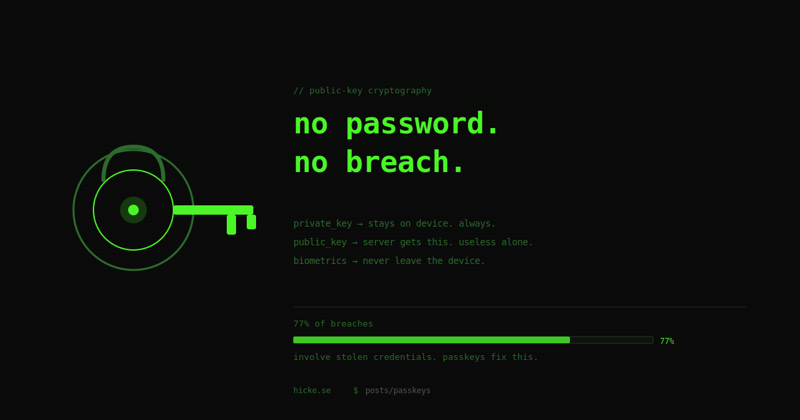
77% of breaches involve stolen credentials. Passwords are the problem, and we’ve known it for decades. Passkeys are the fix — and unlike previous attempts, they’re actually taking hold.
What a Passkey Is
A passkey is a cryptographic key pair that replaces your password. When you register with a service, your device generates two keys:
- Public key — sent to and stored on the service’s server. Not sensitive. Useless on its own.
- Private key — stays on your device, inside dedicated secure hardware. Never leaves. Ever.
No shared secret. No password in a database to steal. No breach list to check your credentials against.
How the Login Works
sequenceDiagram
    participant U as User
    participant D as Device (Secure Enclave/TPM)
    participant S as Server

    U->>S: I want to log in
    S->>D: Here's a challenge (random bytes)
    D->>U: Verify yourself (Face ID / fingerprint / PIN)
    U->>D: ✓ Confirmed
    D->>D: Sign challenge with private key
    D->>S: Signed challenge
    S->>S: Verify signature with stored public key
    S->>U: ✓ Access granted
The server never sees your biometrics. Your fingerprint or face data never leaves the device — it’s only used locally to unlock the private key so it can sign the challenge. What the server receives is a cryptographic signature it can verify, nothing more.
Each login produces a unique, time-limited signature. Even if someone intercepts it, it’s worthless for a second attempt.
Why This Kills the Attacks That Work Today
Phishing — when you’re tricked into entering credentials on a fake site — doesn’t work against passkeys. The private key only signs challenges from the exact domain it was registered on. bank.com and bank-secure-login.com are different domains. The passkey silently refuses to authenticate.
Credential stuffing — using leaked username/password pairs from one breach against other services — doesn’t work because there are no passwords to leak. The server stores only a public key, which is genuinely useless to an attacker.
Brute force — there’s nothing to brute force. The key pair is generated with cryptographic randomness. There’s no weak password to guess.
Keyloggers — nothing is typed.
The Hardware Behind It
The private key lives inside dedicated secure hardware, isolated from the rest of the device:
- Apple devices — Secure Enclave
- Windows — Trusted Platform Module (TPM)
- Android — Trusted Execution Environment or TPM
These aren’t just encrypted storage — they’re separate processors that perform cryptographic operations internally. The private key never moves into main memory where malware could reach it.
Synced vs. Device-Bound
Synced passkeys back up through your cloud ecosystem — iCloud Keychain, Google Password Manager, or a third-party like Bitwarden. Your passkeys follow you across all your devices automatically. Lose your phone, get a new one, everything’s there.
Device-bound passkeys are tied to a single physical device and can’t be copied. Higher security, harder recovery. Used in enterprise environments where the risk of credential sync outweighs convenience.
For most people, synced passkeys are the right choice. The cryptography is still end-to-end — the private key is encrypted before it ever touches the cloud.
What the Numbers Say
The FIDO Alliance and early adopters have published real data:
- Amazon saw sign-ins 6x faster with passkeys vs. passwords
- Google saw 4x improvement in sign-in success rates
- CVS Health achieved 98% reduction in mobile account takeovers
- 53% of users surveyed had enabled passkeys on at least one account by 2024
- 6+ billion credential pairs are available on the dark web today — none of them are passkeys
What’s Supported
Passkeys work across all major platforms now:
| Platform | Supported since |
|---|---|
| iOS / macOS | iOS 16, macOS Ventura (2022) |
| Android | Android 9+ (full support Android 14) |
| Windows | Windows 10 / 11 with TPM |
| Chrome | v109+ |
| Safari | v16+ |
| Edge | v109+ |
Major services supporting passkeys: Google, Apple, Microsoft, GitHub, Amazon, PayPal, X, LinkedIn, TikTok, Coinbase, Shopify, and hundreds more.
The Gotchas
Passkeys aren’t perfect yet:
Lost device recovery is the main one. If you lose all devices linked to your passkey ecosystem and have no backups, recovery falls back to account recovery flows — which are often weaker than the passkey itself. Bitwarden or a FIDO hardware key (YubiKey) as a backup is worth considering for important accounts.
Ecosystem lock-in is real but shrinking. Passkeys synced through iCloud only work natively on Apple devices. Google’s sync only works natively on Android/Chrome. Third-party password managers like Bitwarden or 1Password solve this by syncing passkeys across ecosystems.
Not every service supports them yet. Most major services do. A lot of smaller ones don’t. Passwords aren’t going away immediately — but the trajectory is clear.
How to Start
On any device with a supported browser:
- Go to a service that supports passkeys (Google, GitHub, Apple ID are easy starting points)
- Find Security settings → Passkeys → Add a passkey
- Your device will prompt you to verify with biometrics or PIN
- Done — next login skips the password entirely
No app to install. No hardware to buy. The technology is already in your phone, your laptop, your browser.
The practical advice: enable passkeys on your most sensitive accounts first — email, banking, code hosting. Those are the ones that hurt most when compromised, and the ones where password managers tend to have the weakest link anyway (the master password).
Passwords had a good run. They’re done.
Passkeys are one authentication mechanism in a broader identity stack — for how they fit alongside OAuth2, JWTs, and Zero Trust authorization, see Zero Trust: IDP, OAuth2, and JWTs Explained.